- Developer
- Washington Post
- Platform
- Web Browser
- Category
- Puzzle
- Players
- Single Player
- Released
- 2024
- Price
- Free
About Keyword
Keyword is a daily word puzzle where the answer is hiding inside every word on the grid. One keyword — find it, and all the blanks fill themselves in across six word clues. Miss it, and you’re stuck staring at partial words until something clicks.
The puzzle drops a new challenge every day. Today’s grid might have five or six clue words with gaps in different positions. Each gap is a letter (or set of letters) from the keyword, placed where it fits in that particular word. The keyword isn’t the same length as all the gaps — it’s about which letters belong where.
How to play
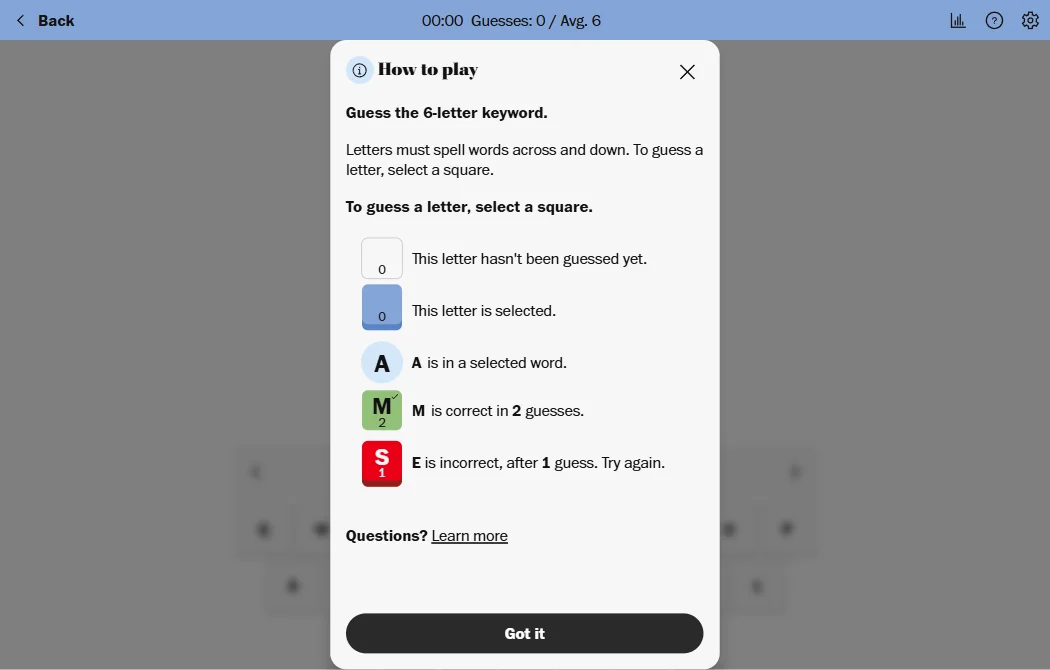
Click or tap letters to form your guesses. The grid shows the clue words with blanks indicating where the keyword contributes letters. Start with the word that looks most constrained — if one clue has only a few possible completions, that’s usually the fastest path to the keyword.
The puzzle rewards lateral thinking. Sometimes the keyword is obvious from a single clue; sometimes you need to triangulate from two or three before it surfaces.
Tips & Tricks
Look for clue words with short blanks first. If a clue only has one missing letter, there’s a much smaller set of words that can work there. Use that constraint to narrow down what the keyword could be.
Say the completed words out loud. Sometimes a word that looks like nonsense on screen sounds right when spoken, and the keyword clicks into place from the sound of it rather than the spelling.
Don’t skip days. The puzzles build no cumulative difficulty, but the more you play, the better you get at spotting which clue word is the most constraining. That skill transfers across every puzzle.
How to Play Keyword
Desktop Controls
| Key | Action |
|---|---|
| Click | Select letters and submit guesses |
Mobile Controls
Tap letters on the on-screen keyboard to spell words.